


How to Install the Teltonika Hardware?

Follow this step-by-step guide for fast and reliable installation using an FMS cable—ideal for efficient, secure telematics deployment.

Our Trusted Partners

Cobra Security Electronics

In 2024, CSE introduced a refreshed brand identity as Cobra Security Electronics. CSE strong commitment to advancing next-generation telematics, fleet management, automotive electronics, and connected vehicle technologies. CSE continues to build on its legacy of innovation, safety, and reliability, ensuring customers benefit from smarter solutions, enhanced security, and technology for the future of mobility.

Teltonica

A global leader in designing and manufacturing high-quality IoT and telematics devices, Teltonika is proud of its made-in-Lithuania tech. With over 30 million devices deployed across 26 countries and trusted by 10,000+ partners worldwide since 1998, they specialize in fleet tracking, networking, industrial automation, EV charging, telemedicine, and more Home . Explore more on their partner site:
How to Change Measurement Units

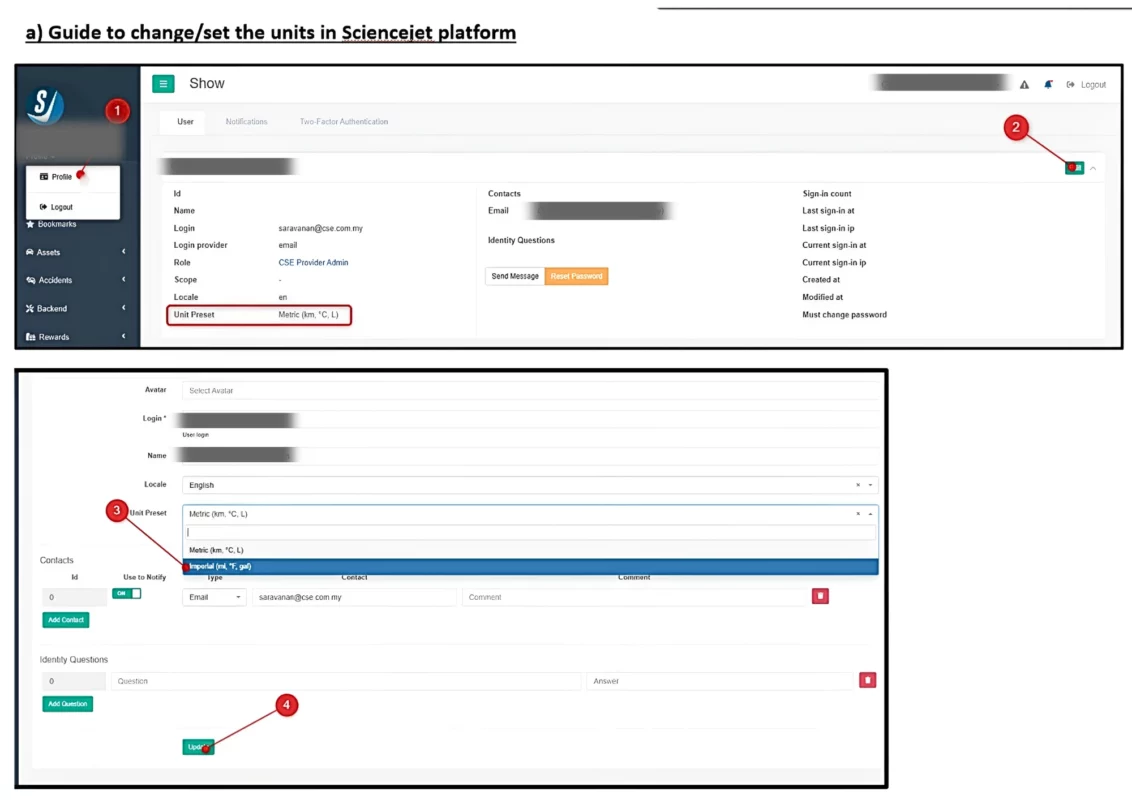
Follow the steps below to switch between Metric and Imperial units in the ScienceJet platform.

STEP ONE

Log in to your account and go to Profile.

Step two

Click the Edit button to update your settings.

STEP three

Under Unit Preset, select: • Metric (km, °C, L) • Imperial (mile, °F, gal)

Step Four

Click Update to apply the changes.

Customer Activation Process

1. Visit JWC Website

Browse available products.

2. Select Product

Choose the product that suits your needs.

3. Payment & Registration

Register, accept terms & conditions, and complete payment.

4. Product Shipped

Your order is processed and shipped.

5. Receive Product

The product arrives at your address.

6. Self-Installation

Follow the installation guide available on the JWC website.

7. Platform Activation

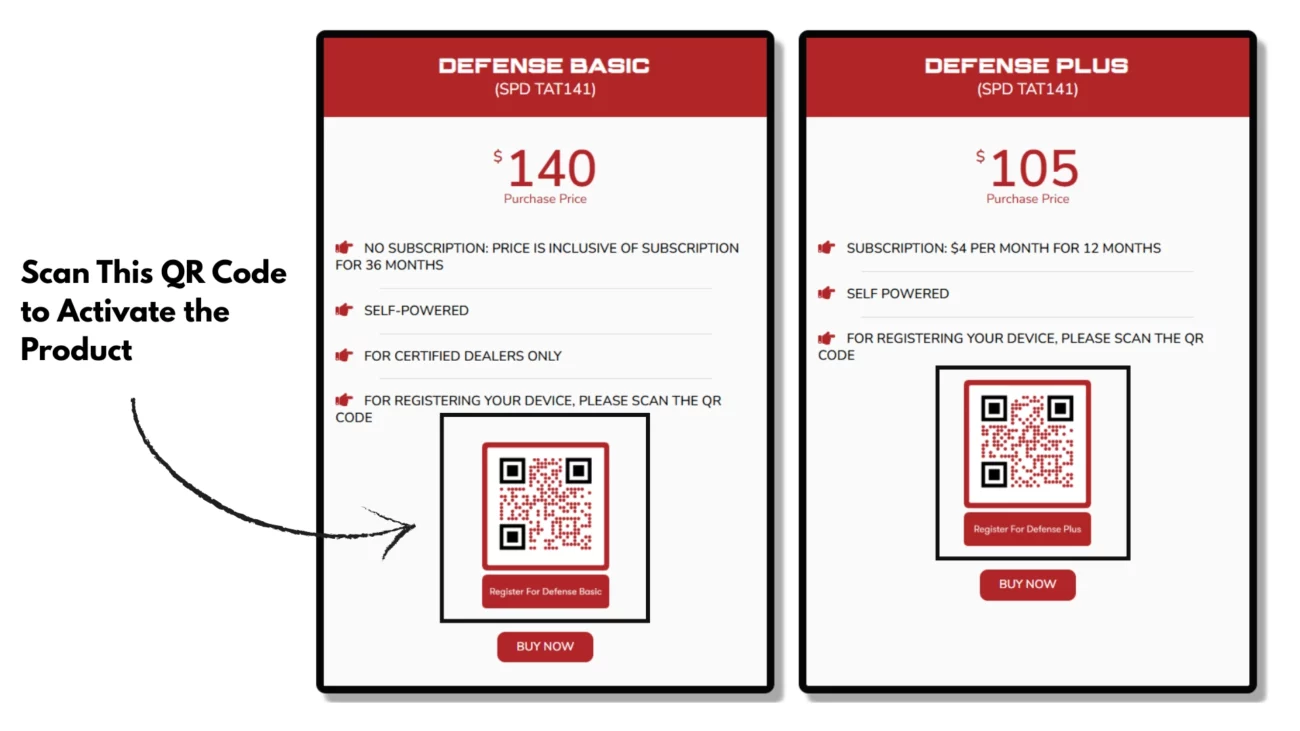
Activate your product by scanning the QR code of the purchased plan under the Pricing tab. Login access will be provided after successful activation.

8. Customer Support

Access user guides, sales enquiries, and technical support whenever needed.